
Add Structure to Your Timeline with Lanes (Group by)
Timetoast now supports timeline lanes, a simple way to group events into parallel tracks by team, phase, or category. Add structure to complex timelines and make parallel work easier to understand at a glance.

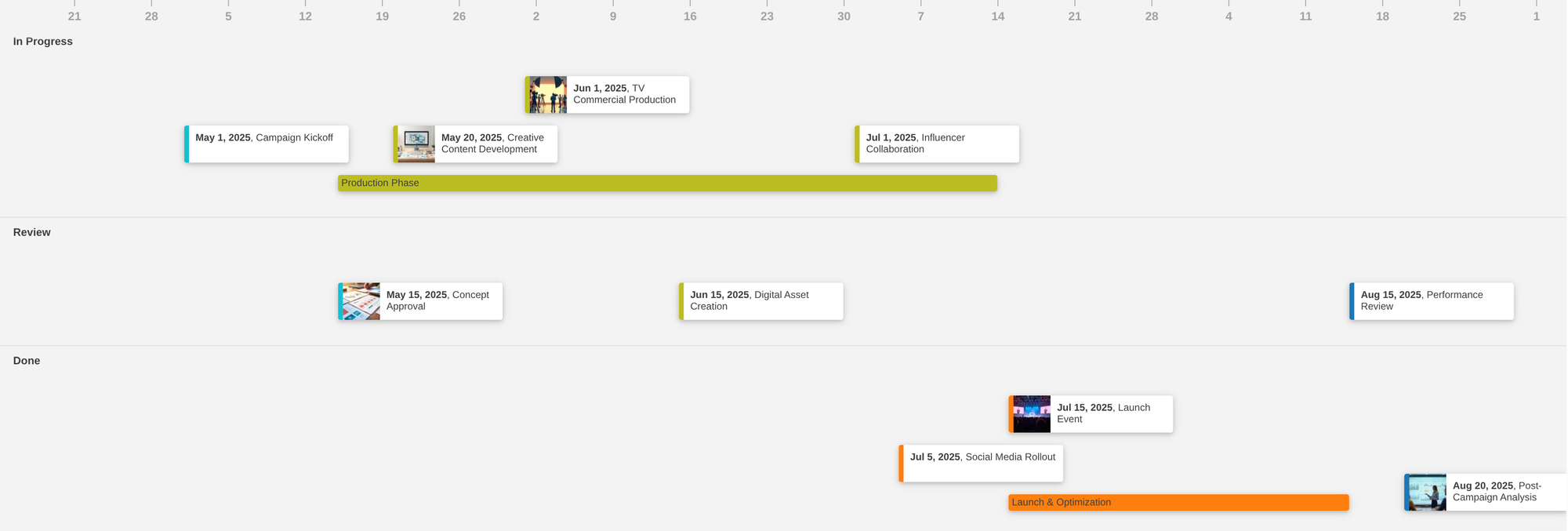
Timetoast now supports timeline lanes, a new way to add structure to timelines.
What are timeline lanes?
Timeline lanes allow you to group events into separate parallel tracks within a timeline. Each lane represents a value from a selected field (for example: “Design”, “Engineering”, “Marketing”).
Events are placed into the correct lane based on that value.
They're similar to the concept of swimlanes or tracks in other project management tools.
How do lanes work in Timetoast?
It's a simple as choosing which field you would like to organize your timeline by.
Lanes in Timetoast are powered by single-select fields, which are simple dropdown fields you can define yourself. Choose a field from the "Group by" control and your timeline instantly reorganizes itself into clear parallel tracks.
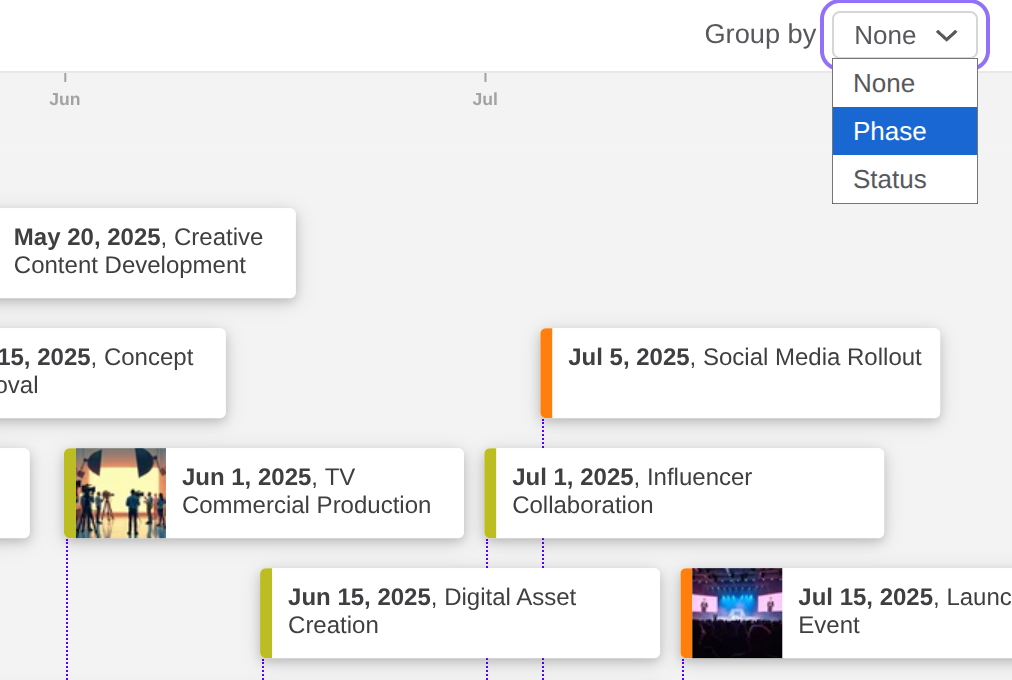
You can switch grouping on or off at any time, or choose a different field to reorganize your timeline by, so you can see the same work from different angles in seconds.
Why use lanes in a timeline?
As timelines grow, they can be difficult to read when everything sits together on a single track.
Lanes add structure.
They make it easier to:
- Scan complex timelines quickly
- Understand parallel work at a glance
- Separate responsibilities across teams or categories
They also help to clearly surface overlapping or concurrent work.
When to use lanes
Lanes are most useful when your timeline has multiple parallel tracks.
Use them when:
- Multiple teams are involved: Separate work by team, for example Design, Engineering, and Marketing, so responsibilities are clear
- You are managing multiple workstreams: Keep related events grouped while still seeing how everything fits together
- Phases overlap: When planning, build, and rollout happen at the same time, lanes make that overlap easier to understand
When not to use lanes
Lanes aren't always necessary, and they could even make things more complicated.
You may not need them when:
- Your timeline is simple: A small number of events with a clear sequence is often easier to read on a single track
- Everything truly belongs to one stream: If there's no meaningful way to group events, lanes can add unnecessary structure.
Conclusion
Timeline lanes give you a simple way to organize your timeline without changing any of your underlying data.
Grouping events into clear parallel tracks is a great way to make your timeline easier to read, share and explain.
So if the timelines you've created are becoming cluttered, grouping them into lanes is a great option to bring structure back. Try grouping your timeline by team, phase or category to see the difference.